

Automatic contextual links, breadcrumbs, table of contents, and related posts to boost SEO and engagement.
Description
Generate breadcrumbs, table of contents, contextual links, and related posts automatically. Analyze your content and create connections that improve SEO and keep visitors engaged.
Click the image above to watch the full demo on YouTube
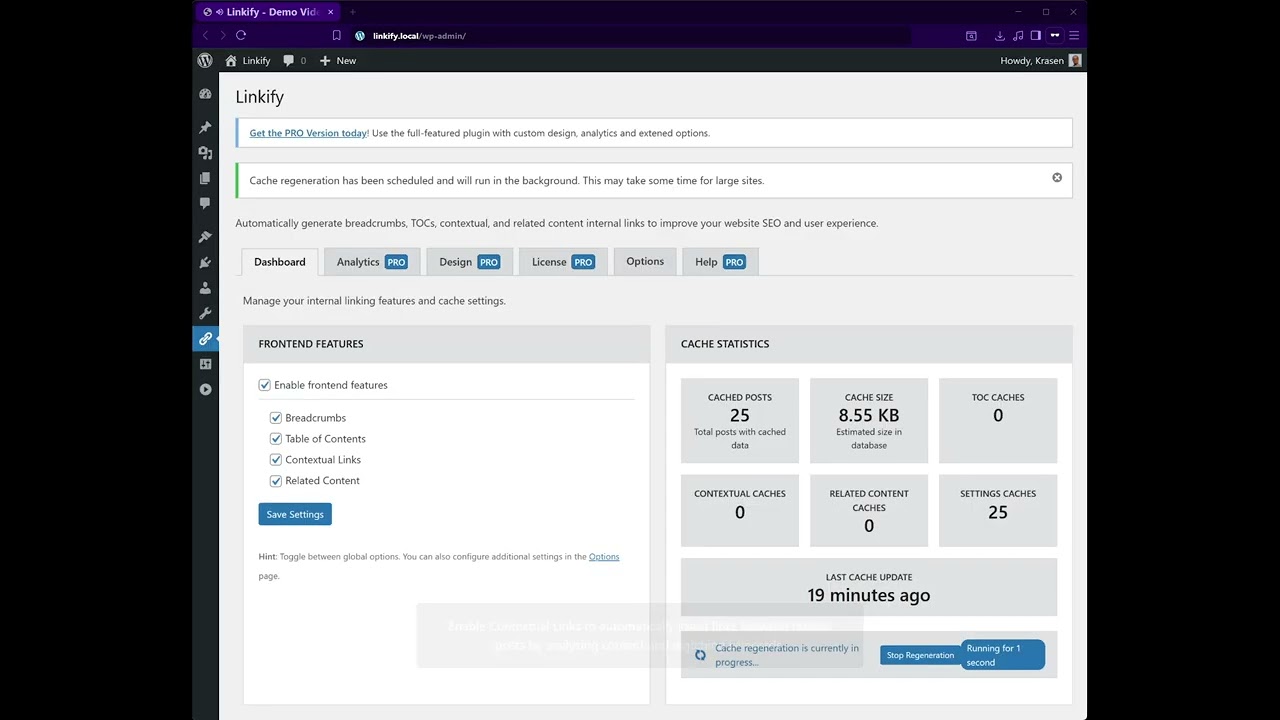
Stop manually creating navigation and content links. This plugin analyzes your content and automatically generates contextual links, SEO-friendly breadcrumbs, a table of contents for long posts, and related content sections.
Key Features
- Automatic contextual linking between posts
- Breadcrumbs navigation for site hierarchy
- Auto-generated table of contents from headings
- Related posts based on content similarity
- Performance-optimized caching
- Custom post type support
- SEO improvements
How It Works
- Install and activate
- Navigate to plugin settings in the admin menu
- Enable features: Breadcrumbs, Table of Contents, Contextual Links, Related Posts
- Configure settings for each feature
- Plugin analyzes content and generates connections automatically
- Elements appear on your posts automatically
Zero manual work required – creates connections automatically based on content analysis.
Use Cases
- Optimize site architecture for SEO
- Improve content discoverability
- Create better user navigation
- Add TOC to long articles
- Connect related product content
- Keep visitors engaged longer
Installation
From Dashboard
- Go to Plugins > Add New
- Search for “Linkify”
- Click Install Now, then Activate
Manual Installation
- Download the plugin ZIP file
- Upload to /wp-content/plugins/
- Activate from the Plugins menu
After Activation
- Navigate to plugin settings in the admin menu
- Go to Options tab to select supported post types
- Enable desired features: Breadcrumbs, Table of Contents, Contextual Links, Related Posts
- Customize settings for each feature
- Configure keyword threshold for contextual links
- Set the number of related posts to display
- Save settings and clear cache if needed
- Visit posts to see automatic connections